 QuantiphAi

Consolodator
Work at home, pick up at the office.
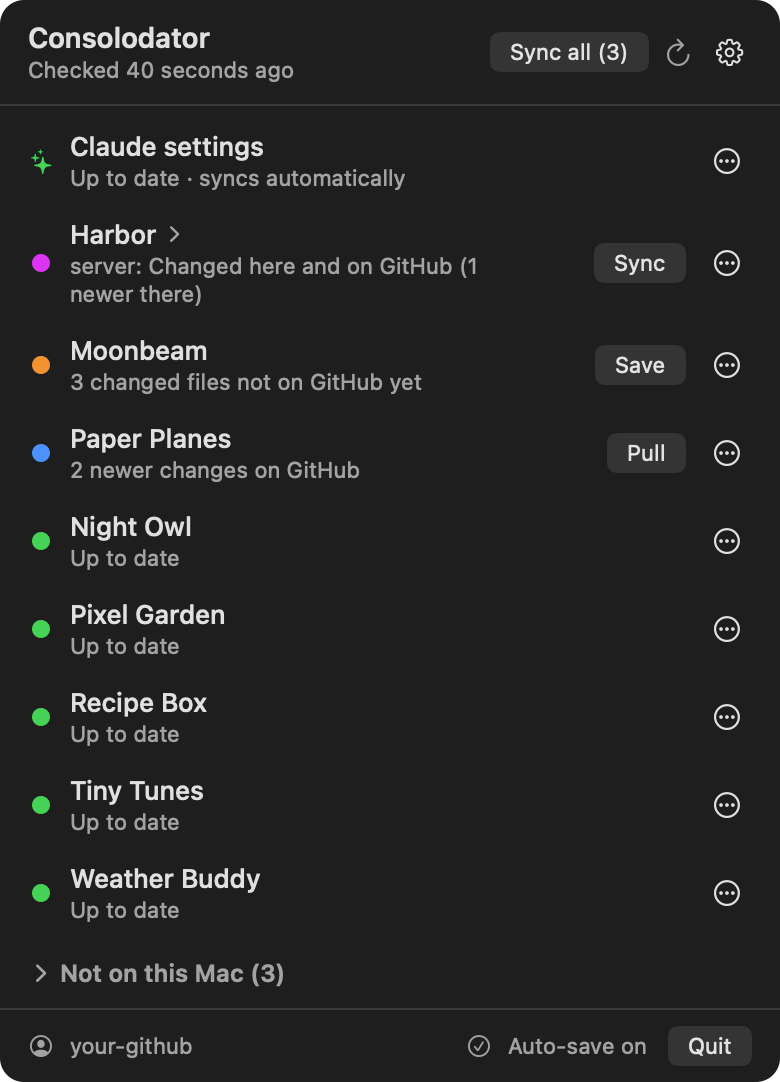
Consolodator is a small menu bar app that keeps your projects in sync across all your Macs through GitHub. One look shows which projects are up to date, which have newer changes from another Mac and which have work that isn't saved yet, and one click fixes each one. You choose what comes onto each Mac. It also keeps Claude Code the same everywhere: your instructions, skills and project memory follow you, and work done with Claude is saved on its own.
About 34 MB · macOS Sonoma 14.4 or later · Apple Silicon and Intel · Signed and notarized by Apple · Works with your own GitHub account or any organization you belong to. Installation steps are below.
Download & installSet it up in a couple of minutes
Set it up in a couple of minutes
Drag to Applications
In the window that opens, drag Consolodator onto the Applications folder.
Open it
Double-click Consolodator in Applications. It's notarized by Apple, so it opens with no warning. A circular-arrows icon appears in the menu bar.
Sign in with GitHub
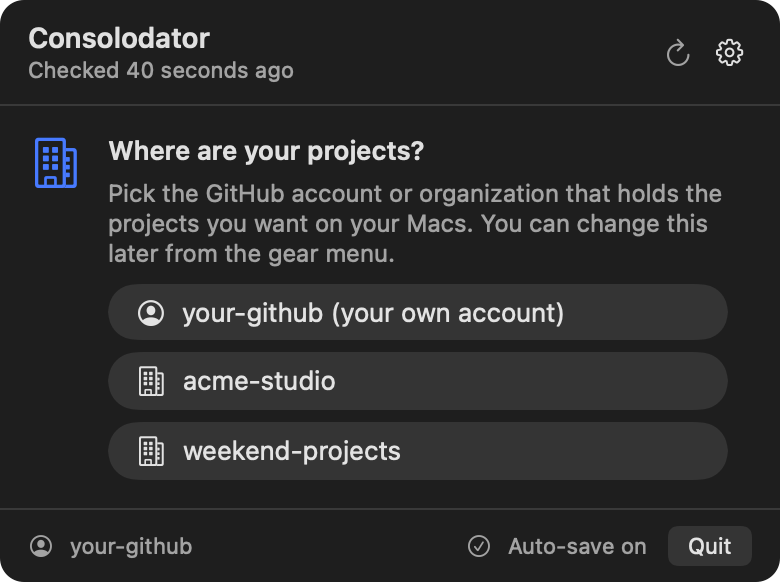
Click the icon, then Sign in with GitHub and Open GitHub. Paste the code (it's already copied) and click Authorize. Then pick the account or organization that holds your projects.
If macOS asks
- Click Allow when it asks to use your Documents folder
- If the menu says the Mac needs Apple's developer tools, click Install and wait a few minutes
Settings
- The gear button has Auto-save work done with Claude, Sync Claude settings automatically and Open at login
Uninstall
- Click the menu bar icon, click Quit, then drag Consolodator from Applications to the Trash. Your projects stay in Documents and on GitHub
FeaturesGitHub sync you can see at a glance
GitHub sync you can see at a glance
Every project at a glance
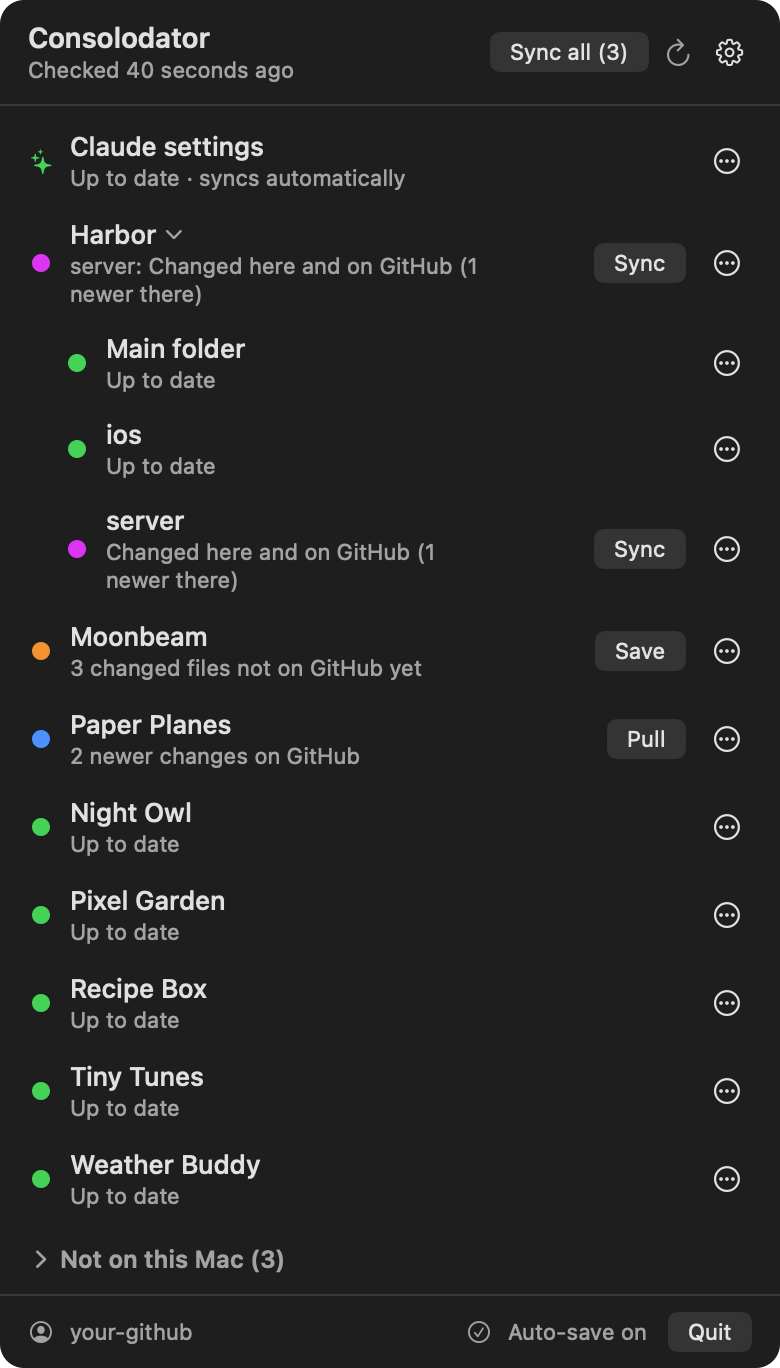
- Green up to date, blue newer on GitHub, orange changed on this Mac, purple changed in both places, red needs a person
- Projects that need you are listed first, and the menu bar icon shows how many
One click per project
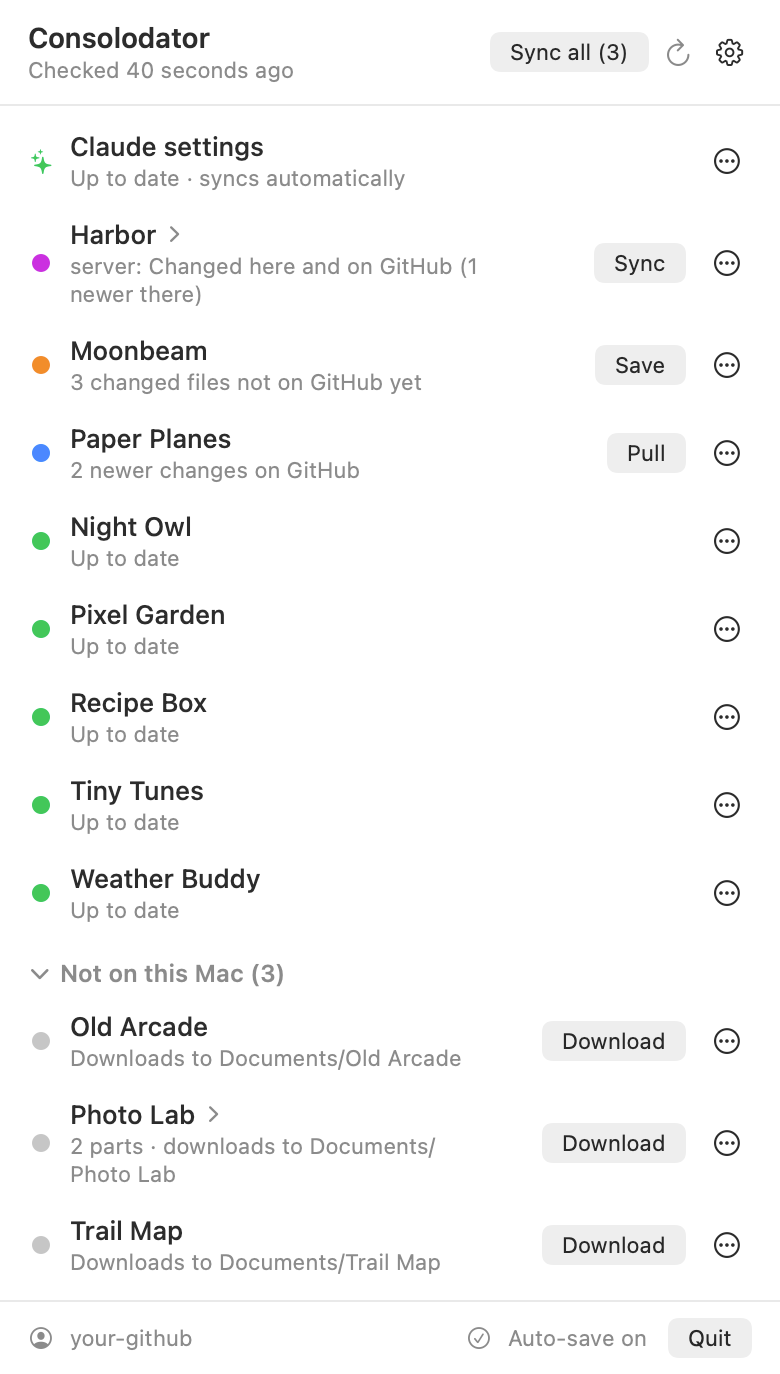
- Pull, Save, Sync or Download: the button always says what it will do
- Sync all handles everything that needs it at once
You choose what comes over
- It checks GitHub every 15 minutes but never pulls on its own
- Projects you don't need stay under “Not on this Mac” until you click Download
Same folders everywhere
- Each Mac picks its own projects folder (Documents by default), and every project lands in the same place inside it, even when the Mac account names differ
- A folder holding an app, its server and its notes shows as one row with one button
Claude Code follows you
- Your Claude instructions, skills and per-project memory are shared between your Macs and stay in sync automatically
Auto-save, without the flood
- When Claude changes a project, it's saved to GitHub after a few quiet minutes
- Only real changes are saved and bursts are grouped: forty replies in a row make two saves
- Adds about 10 milliseconds per reply and never pulls
Good to knowBuilt to never lose work
Built to never lose work
Safe pulls
- Pull only brings changes in when nothing on this Mac would be overwritten
Clashes stop, not guess
- If the same lines changed on two Macs, Sync stops and keeps your version so you can merge it calmly
No oversized files
- Files over GitHub's 100 MB limit are refused before anything is saved
How it's builtSwift, SwiftUI, git and GitHub
Swift, SwiftUI, git and GitHub
Sign-in
GitHub's official command-line tool is built into the app. You approve a one-time code on github.com, and the login is kept in the Mac's Keychain.
Same place on every Mac
A small shared list on GitHub records which folder each project lives in, so a new Mac puts every project where the others have it.
Claude settings
Claude Code names its project folders after the full path, account name included. Consolodator stores them by the part after the home folder and links them back on each Mac.
App
Swift and SwiftUI menu bar app, universal for Apple Silicon and Intel, hardened runtime, Developer ID signed and notarized.
Status: version 2.0, free. Updates install with one click from the menu.

HiFAi
The podcast app that removes the ads

DEFCON Todo
The to-do list ranked by urgency

Clubtronix
Music-video show system for venues

YOOTUBE
YouTube, minus the noise

SkateFM
Skate jams 24/7 with live DJs

R1NK
The all-in-one rink platform

QuantiphAi Vault
Lets your AI sign in for you

Cupertinoo Clock
The AM/PM widget for iPhone

FlexAi
A Plex player for Mac, Apple TV and iPhone

Switchboard
400+ Mac settings in one app

Volume Slider
The Mac sound menu, fixed

File Explorer
Windows 10 File Explorer, on your Mac
Get in touch
Questions or ideas about our apps? Want a HiFAi TestFlight invite? Email us.
mail@quantiph.ai